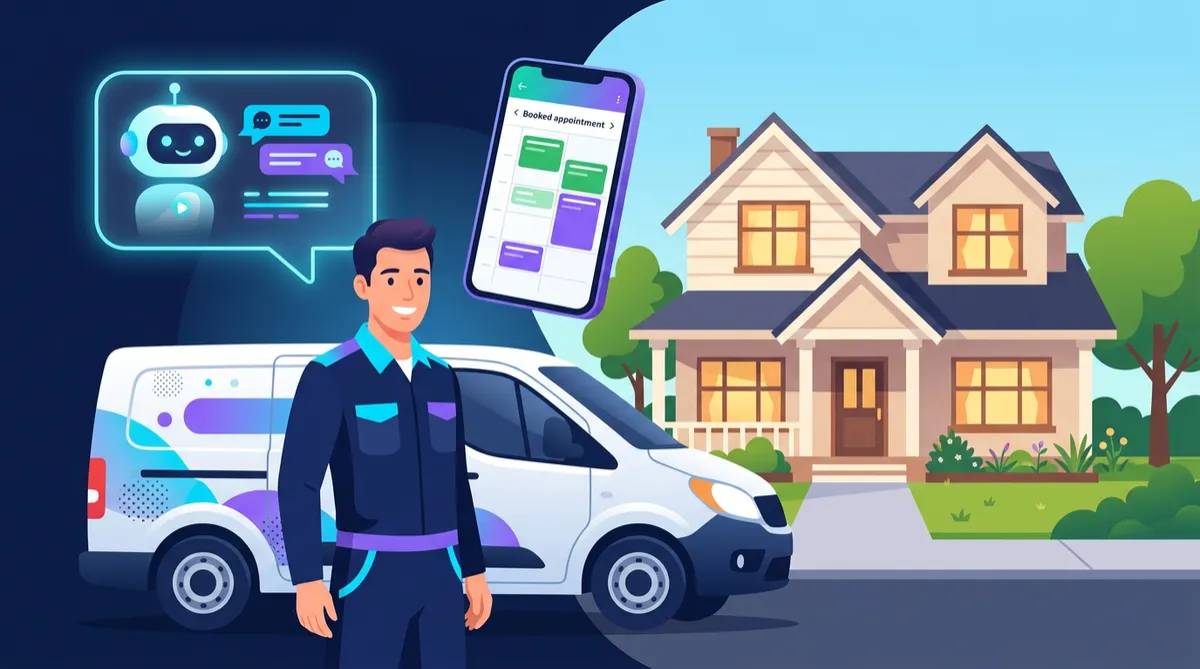
5 Ways AI Helps Home Service Businesses Book More Jobs Without Hiring More Staff
You don’t need another pair of hands just to answer the phone, chase every estimate, and remind customers when the crew is on the way. You need the work you already earn to stop slipping through the cracks. That’s where practical AI can help home-service businesses: it handles repeatable customer touchpoints, while you and your team stay in charge of the actual work.

Think of AI as a reliable front-desk helper, not a magic wrench. It can respond, organize, and follow up; your people bring the trade knowledge, judgment, and neighborly care. Here are five useful places to start, whether you run an HVAC, plumbing, electrical, roofing, cleaning, or landscaping company.
1. Text back when a call goes unanswered
A missed call often arrives at the least convenient moment: you’re on a ladder, under a sink, driving between jobs, or talking with a customer face to face. Calling back later is easy to intend and surprisingly easy to forget. An automated text can acknowledge the caller right away and invite them to share what they need.
Keep the message simple and human. For example: “Sorry we missed you. What service do you need, and what’s the best address for the job?” You can ask whether the issue is urgent, gather a preferred callback time, and alert your office team. For a burst pipe or a no-heat call, make sure your process clearly tells customers how to reach a person for urgent help. Automation should make the next step easier, not leave someone guessing.
Start by tracking missed calls, how many callers respond, and how many turn into booked appointments. That gives you a useful baseline before you change anything.
2. Let an AI receptionist answer after hours
People look for help outside tidy office hours. A chat or voice assistant can greet visitors, answer common questions, collect contact details, and offer an appointment request while your staff is away. It can also take routine pressure off the front desk during a busy Monday morning.
Give it trustworthy answers about your service area, hours, services, and what happens next. Be clear about what it cannot confirm. If you don’t offer emergency service, it must not imply that you do. If pricing depends on an inspection, it should say so rather than invent a number. Offer an easy handoff to a real person for unusual, sensitive, or urgent situations.
Review real conversations regularly. Look for questions the assistant couldn’t answer, confusing replies, and points where customers wanted a person. A little maintenance keeps a helpful receptionist from becoming the digital equivalent of a phone tree that never ends.
3. Make estimates and follow-ups easier to manage
Every estimate represents time spent understanding a job and preparing an offer. Yet a quote can sit unopened while the customer gets distracted, compares options, or simply forgets to reply. An organized follow-up sequence can send a polite check-in, answer basic questions, and remind your team which estimates need a personal call.
AI can help draft a clear follow-up using your approved service details, but a qualified person should review the scope, price, exclusions, and timing before anything goes to a customer. Keep the tone helpful: “Would you like us to clarify anything about the estimate?” is better than sending the same pushy nudge every morning.
Use the customer’s communication preferences, respect opt-outs, and stop the sequence once they respond, decline, or book. Track which estimates receive replies and which become jobs, then adjust the timing and wording based on your own results.
4. Ask happy customers for reviews at the right moment
A satisfied customer may be glad to leave a review and still never get around to it. A brief, well-timed request after a completed job makes the next step obvious. You can automate the reminder, personalize it with the customer’s name and service, and include a direct route to your preferred review page.
Keep requests honest and consistent. Don’t write a review for someone, offer a reward in exchange for a positive rating, or ask only customers you expect to be delighted. If someone has a concern, make it easy to contact your team and resolve the issue. Reviews reflect real experiences; a friendly ask simply helps customers share theirs.
Check that messages go to the right person and that customers can opt out. You can also monitor how many requests are delivered and how many responses arrive, without treating any single review as a promise.
5. Reduce scheduling confusion with reminders
A full calendar is useful only when everyone knows what is happening. Appointment confirmations and reminders can share the date, arrival window, service address, and a simple way to reschedule. If your team’s schedule changes, a timely update is kinder than leaving a customer to wonder whether the van is still coming.
Make sure reminders reflect your real booking rules and local operating hours. Avoid promising an exact arrival time if you only provide a window. For field teams, connect the appointment details to the right staff member and leave room for a human to handle special instructions. Before sending, verify the customer’s contact information and preferred channel.
Watch for fewer missed appointments, fewer “are you still coming?” calls, and fewer scheduling mix-ups. Those everyday signals can show whether reminders are making life easier for customers and crews.
Start small, keep the human touch
You don’t have to automate your whole business in one weekend. Pick one recurring bottleneck—perhaps missed-call follow-up or appointment reminders—and map the current process. Decide what information you need, what the customer should experience, and when a person must step in. Then test with a small, visible workflow and check the conversations before expanding it.
Keep customer data private, limit access to the people who need it, and review automated messages for accuracy. AI is most useful when it handles the predictable parts and makes the human parts easier to do well. It shouldn’t decide whether a roof is safe, diagnose a complex electrical issue, or make a promise your team can’t keep.
If you’re ready to see where AI could fit into your day-to-day operations, book a demo or start a chat with DreamVista. We’ll talk through the calls, estimates, and scheduling tasks that take up your team’s time—and help you find a practical place to begin.
